April 29th, 2026
Improved
✨ What's new

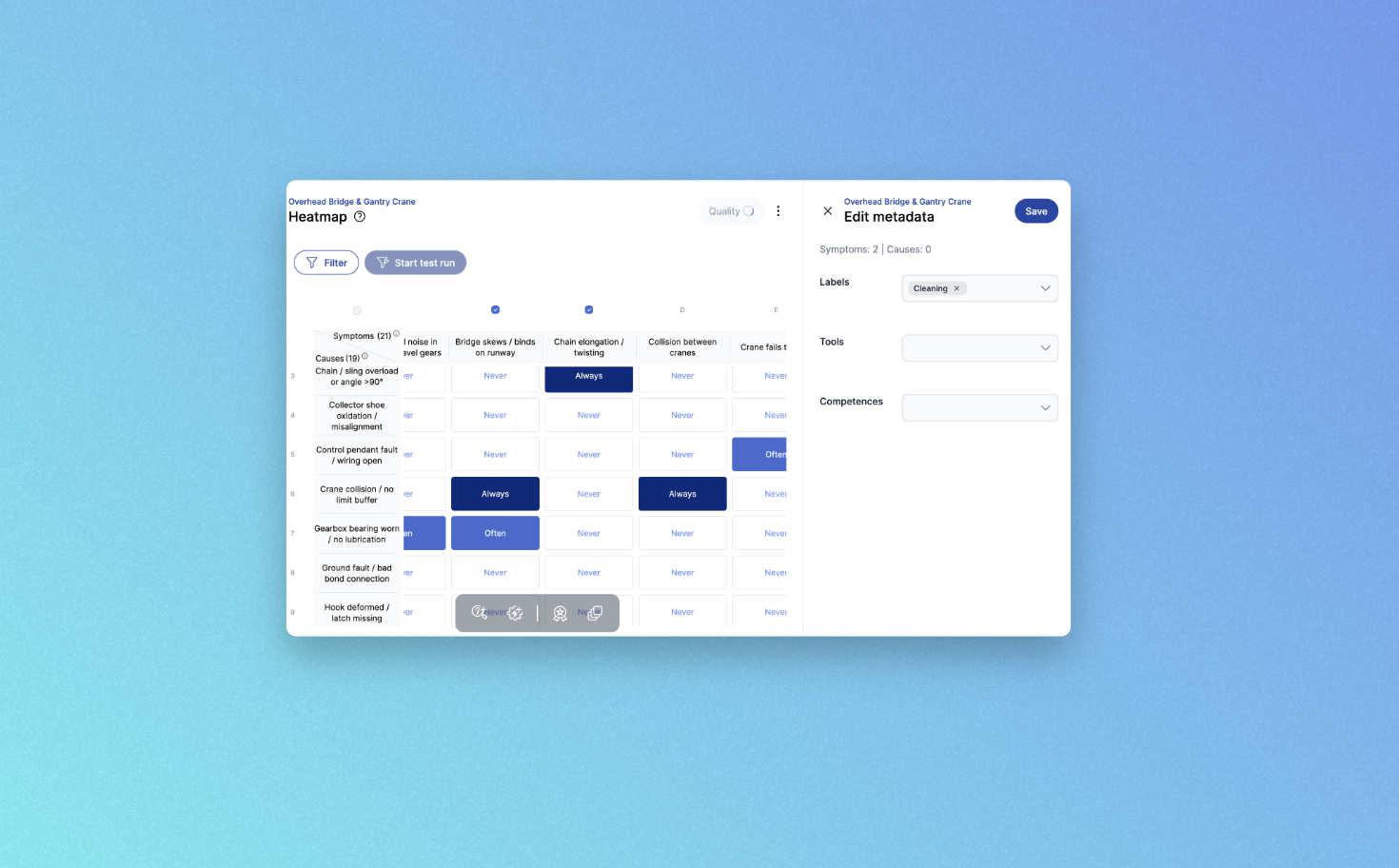
Multi-select for causes and symptoms
You can now select multiple causes and symptoms in a single step. Recurring tasks get noticeably faster.
Refined label management
Adding and removing labels has been redesigned to cut down the clicks needed in day-to-day work.
New toolbar for symptoms and causes
All relevant actions are now grouped in a dedicated toolbar. This creates a clearer overview and shortens the path to frequently used functions.
🔜 Coming soon
Custom sorting in the heatmap
Columns and rows will be reorderable via drag-and-drop. Adapt the heatmap to your preferred reading order instead of working around a fixed layout.
🔮 On the horizon: Workflows
We're exploring a new Workflows feature that will let you automate recurring processes in findIQ. Before we move into implementation, we want to understand which processes cost you the most time. Your answers in our short survey will feed directly into the concept.
As always, we'd love to hear your feedback.
April 12th, 2026
Improved
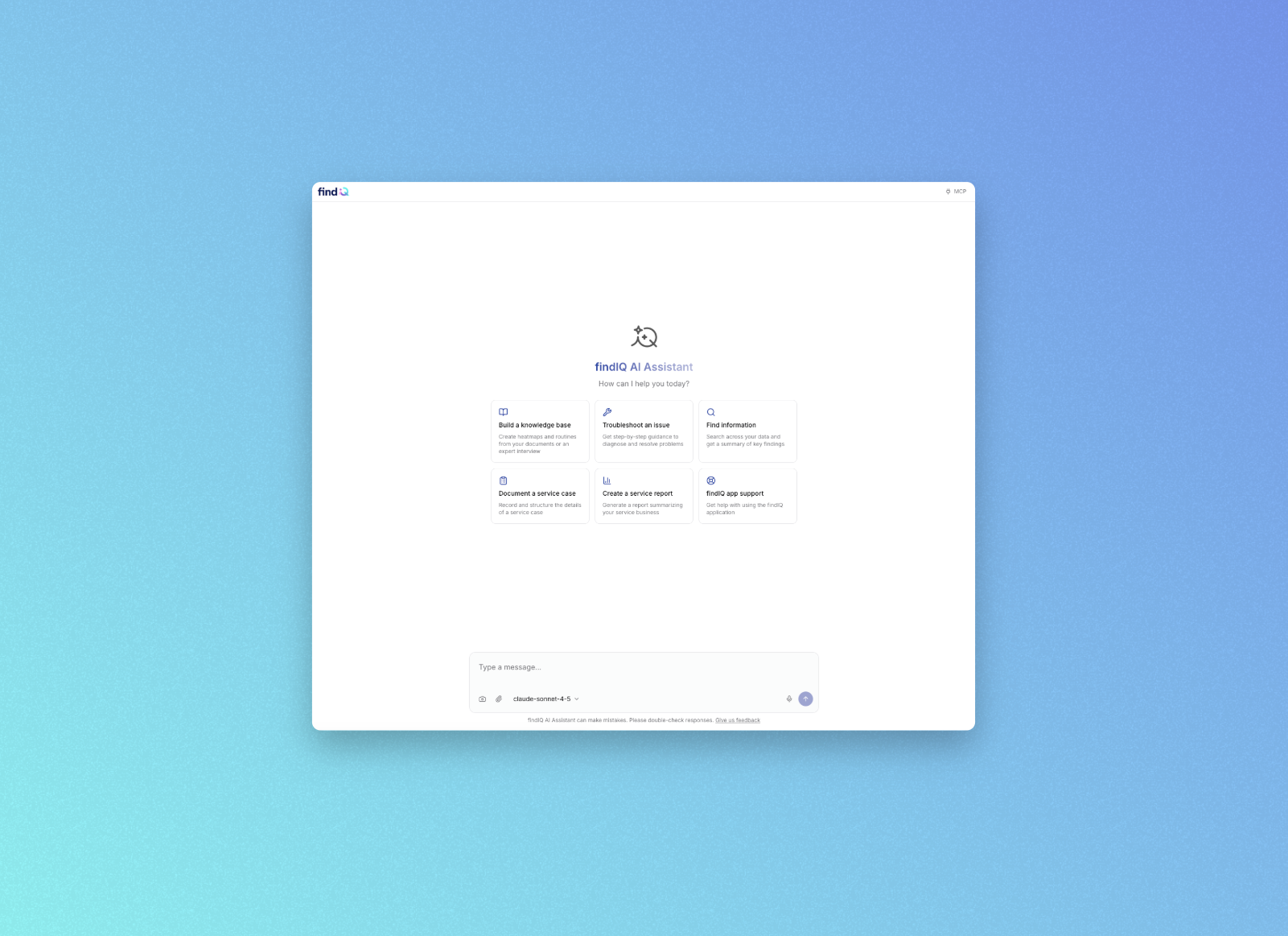
🔍 Heatmap Filter: AND/OR Logic

The heatmap now supports combined AND/OR filter logic. Learn more in our Help Center.
This makes it easier to analyze and validate variant structures. Ideal for uncovering complex patterns in fault diagnosis. Want to be part of co-developing new variants? Vote here and we'll reach out to you.
⚙️ Enhanced Admin Features
We've made team and user management significantly easier:
Bulk invitations: Invite many users at once instead of adding them one by one.

Move members between groups: Users can now be flexibly reassigned between groups.

Improved SSO with group sync: Groups are automatically synced with your identity provider, keeping permissions up to date at all times. Want to set up SSO? Reach out to us, we'll get everything configured together with your IT team.
🤖 Quinn, the New AI Assistant (Coming Soon)
We've completely reimagined our AI assistant. Quinn helps you reach the right diagnosis faster. More intuitive, more context-aware, and more powerful than ever.
Interested? Vote here and we'll reach out to you.
March 4th, 2026
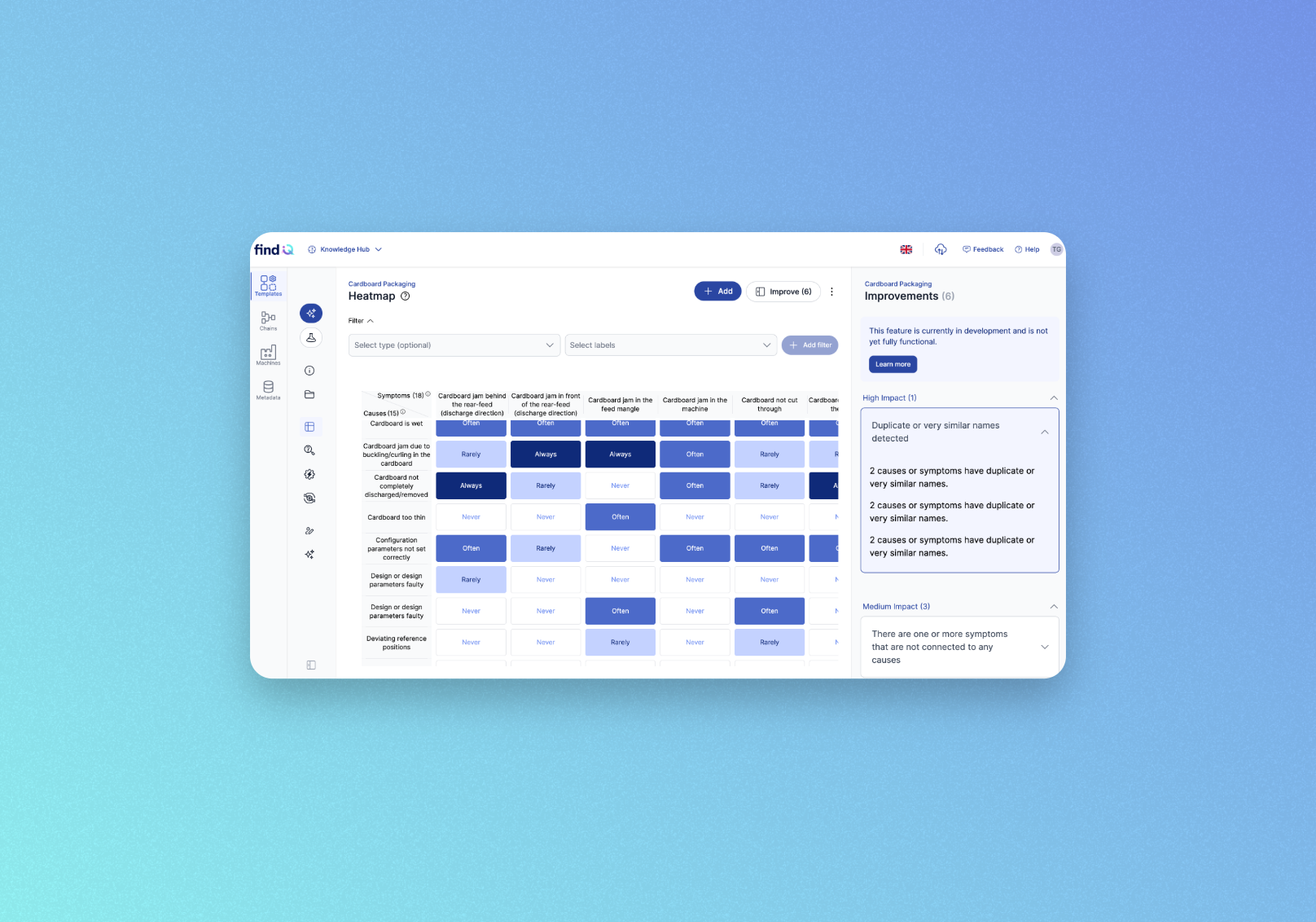
We're introducing Quality Check — an automatic analysis tool that scans your heatmaps for gaps, inconsistencies, and improvement opportunities so you can keep your knowledge base in top shape.
This feature is in active development — expect changes and improvements over the coming weeks
What's new
Open any heatmap in the Knowledge Hub and hit the new Improve button to get instant, actionable suggestions ranked by impact level (High, Medium, Low). The Quality Check detects issues like:
Disconnected causes or symptoms with no links
Duplicate or near-identical names that should be merged
Similar frequency patterns across causes or symptoms
Missing descriptions or labels
Overuse of "Always" or "Never" assignments
Negative modifiers in symptom names that reduce clarity
Imbalanced cause-to-symptom ratios
How it works
Navigate to Knowledge Hub → Templates → (your template) → Heatmap
Click Improve (n) in the top-right corner
Browse suggestions grouped by impact, click any item for details and recommended actions
Results update automatically as you make changes — no need to re-run manually.
Good to know
Available to users with the Editor or Administrator role
Suggestions are recommendations, not mandatory — always review them in context
This feature is in active development; expect further improvements soon
February 16th, 2026
New
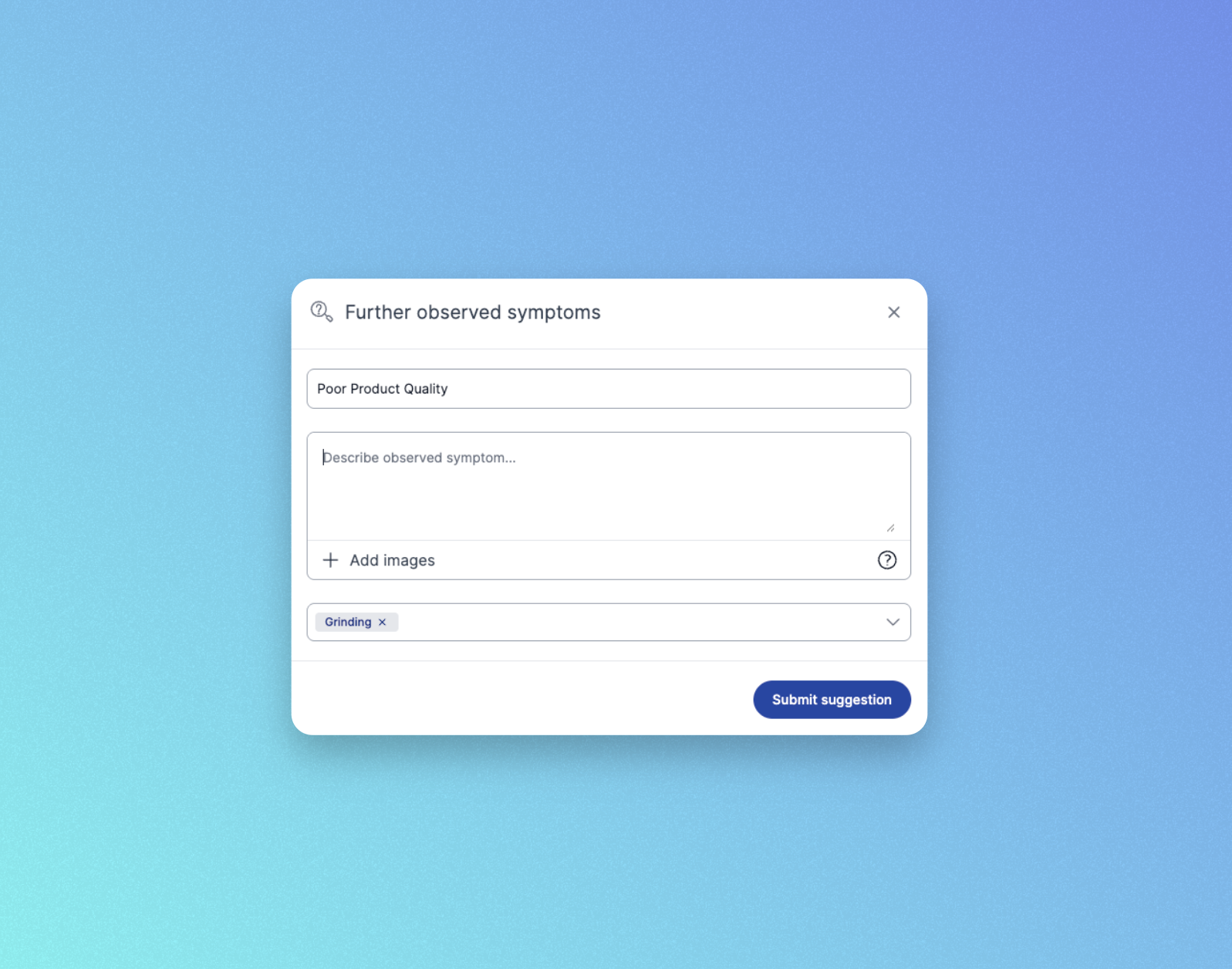
Chain User Suggestions
User Suggestions are now available in Chains. You can collaborate and continuously improve content together with your users. Users can now pinpoint the exact machine within a chain where an error occurs. This enables more precise, structured feedback captured directly at the source of the issue.
AI Suggestions for Chains will be rolled out in the coming weeks. You can already collect Logbook entries and automatically apply AI Suggestions once they are enabled.
Usage Report via Email
Usage reports are currently available via email only. This gives you a simple way to stay informed about activity and adoption. The Insights panel will be redesigned mid year to include these reporting features directly in the product.
Sign up to receive your Usage Report and let us know what insights would be most valuable for you. Your feedback directly shapes the upcoming Insights panel redesign.
Copy Invite Link
Invite new users in seconds by copying a direct invite link. Share it with your team to make onboarding faster and easier.

January 30th, 2026
Beta
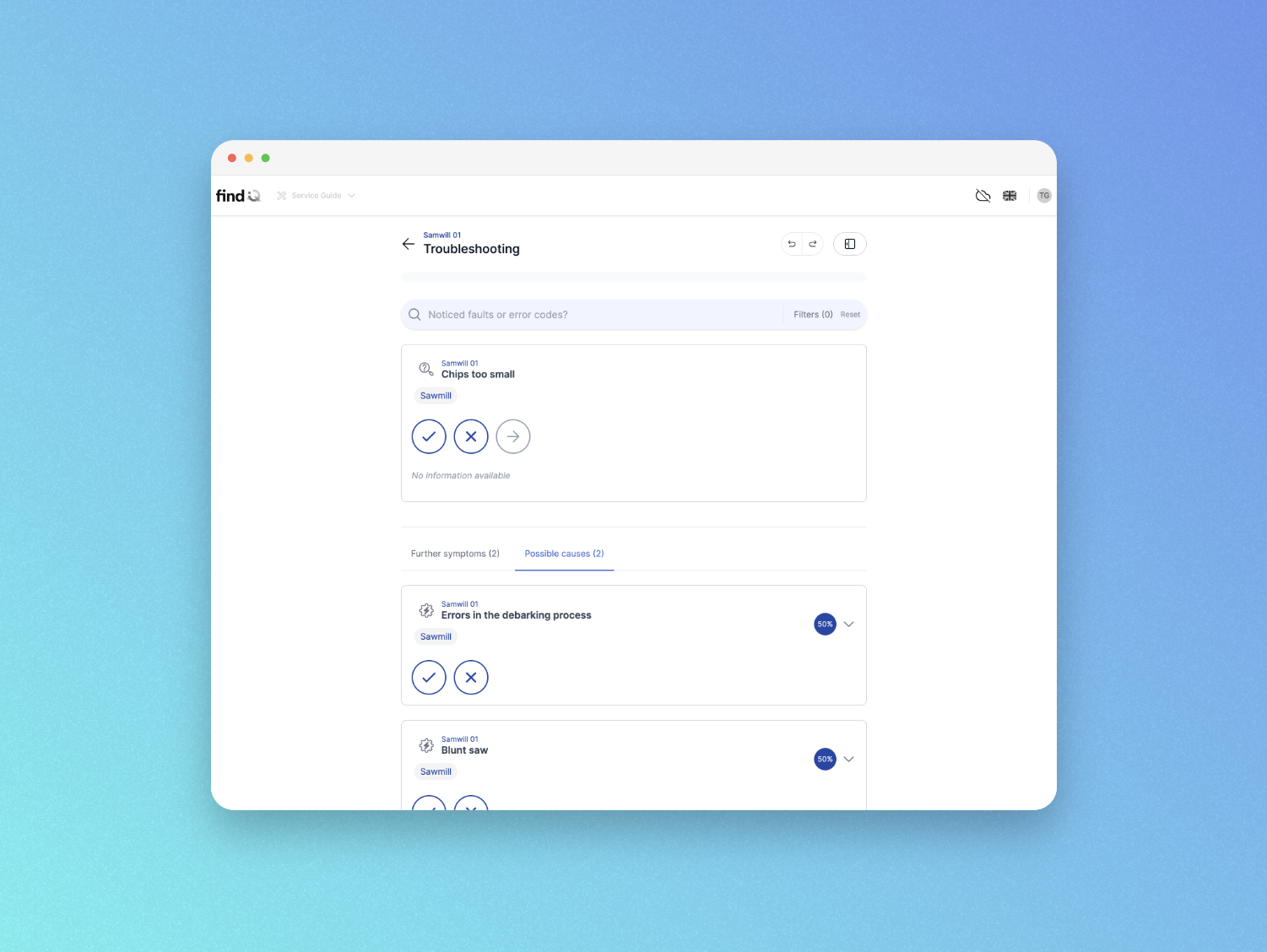
We’re excited to introduce Offline Troubleshooting as a new beta feature in findIQ, enabling users to access troubleshooting and routines even without an active internet connection.
With Offline Troubleshooting, service teams can download machines in advance and continue working seamlessly in environments with poor or no connectivity—such as production halls, basements, remote sites, or outdoor deployments.
🚀 Join the Offline Troubleshooting Beta Field Test
Offline Troubleshooting is currently available as part of a Beta Field Test. This program is designed to validate the feature under real working conditions together with selected service and maintenance teams.
Participants will test Offline Troubleshooting over a defined period (e.g., 1–2 weeks) using real devices and realistic scenarios. The goal is to collect practical feedback, identify issues early, and ensure stable offline performance.
If you are interested in joining the Beta Field Test, please contact us via email to schedule participation.
📖 Guide in the Help Center
A quick guide on how to enable and use Offline Troubleshooting is available here: