March 4th, 2026
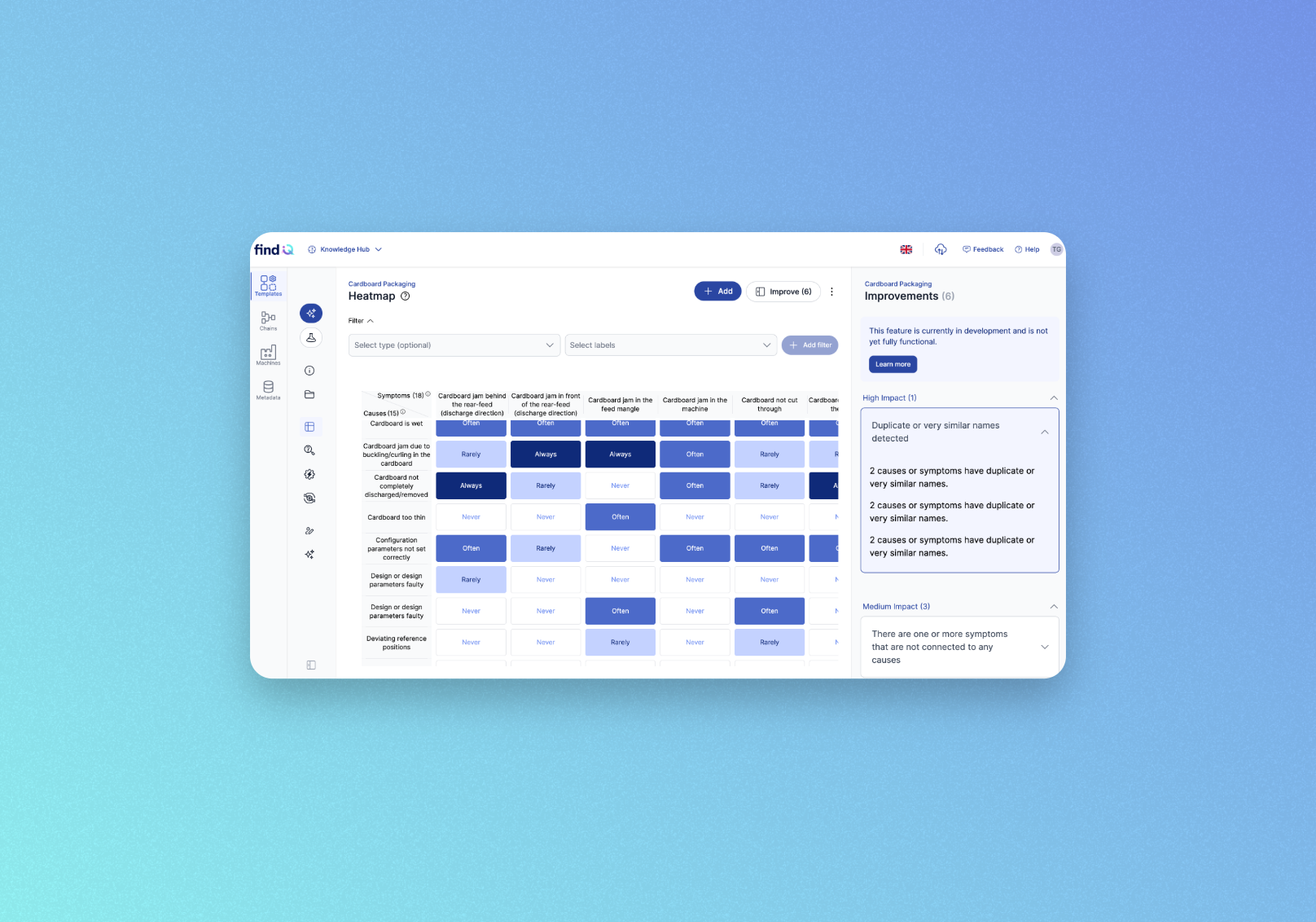
🔍 New Feature: Heatmap Quality Check
We're introducing Quality Check — an automatic analysis tool that scans your heatmaps for gaps, inconsistencies, and improvement opportunities so you can keep your knowledge base in top shape.
This feature is in active development — expect changes and improvements over the coming weeks
What's new
Open any heatmap in the Knowledge Hub and hit the new Improve button to get instant, actionable suggestions ranked by impact level (High, Medium, Low). The Quality Check detects issues like:
Disconnected causes or symptoms with no links
Duplicate or near-identical names that should be merged
Similar frequency patterns across causes or symptoms
Missing descriptions or labels
Overuse of "Always" or "Never" assignments
Negative modifiers in symptom names that reduce clarity
Imbalanced cause-to-symptom ratios
How it works
Navigate to Knowledge Hub → Templates → (your template) → Heatmap
Click Improve (n) in the top-right corner
Browse suggestions grouped by impact, click any item for details and recommended actions
Results update automatically as you make changes — no need to re-run manually.
Good to know
Available to users with the Editor or Administrator role
Suggestions are recommendations, not mandatory — always review them in context
This feature is in active development; expect further improvements soon